
Free · No sign-up · Your image never leaves your device
Peyote pattern maker
Turn a photo into a Miyuki Delica peyote pattern in seconds, or draw your own. BeadDot works out the offset peyote layout, the color codes and the bead counts for you.
- Each bead takes its color from where it sits once stitched
- Even and odd-count peyote
- Edit, save and stitch row by row
JPG, PNG, WebP · Processed in your browser, never uploaded.
Colors used
The pattern opens in the editor as peyote: paint it, resize it and follow it row by row in follow mode.
What is peyote stitch?
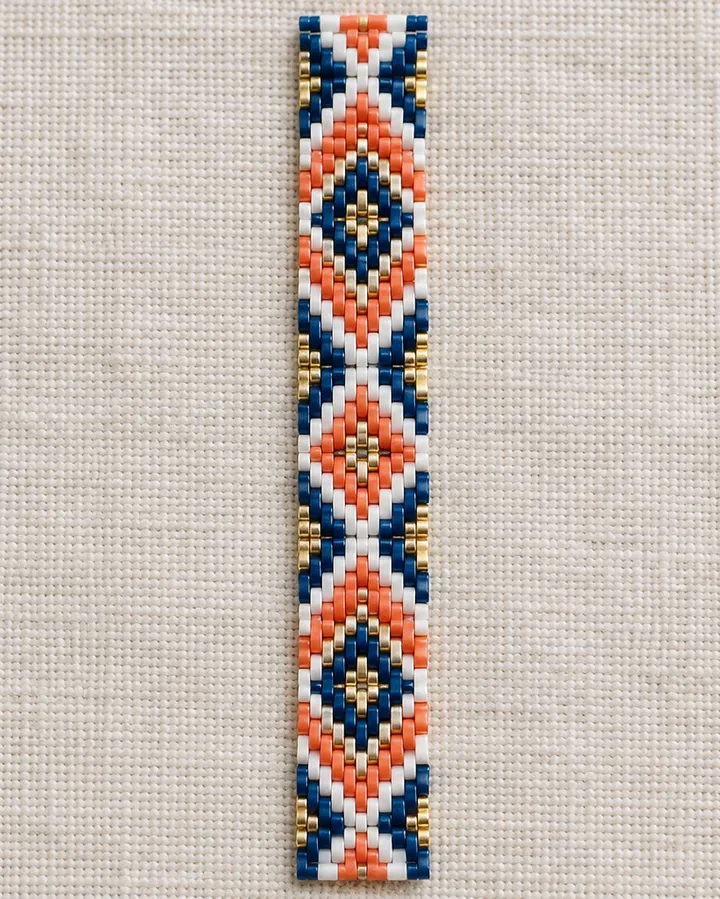
Peyote is a beadweaving stitch where beads are added one at a time and each new bead sits between two beads of the previous row. The rows therefore shift by half a bead, and the beads lock together into a tight, flat fabric like a brick wall.
Stitched with cylinder beads such as Miyuki Delica, the edges stay straight and the pattern looks crisp. It is one of the most loved stitches for bracelets, rings and necklace bands.
What to know when designing a peyote pattern
Rows shift by half a bead
Every bead sits between the two beads below it. Motif edges step, which is why diagonals and diamonds look so clean in peyote.
Cylinder beads lie flat
Cylinder beads such as Delica fit snugly in peyote and keep the pattern crisp. Round seed beads work too, but the surface looks softer. See what are Miyuki Delica beads for the difference.
The first two rows go on together
You pick up the beads of the first two rows in one go; the offset appears once the third row settles between them. See how to read a peyote pattern for the details.
Even or odd?
Even-count peyote has no bead at the exact middle of the band, so motifs center between two beads. Odd-count peyote has a single middle bead, so symmetric motifs such as diamonds and arrows center exactly. The converter picks the right one for the pattern’s size, and you can change it later in the editor.
What BeadDot does for peyote
- Turns a picture into a peyote pattern in your browser
- Even and odd-count peyote
- Follow mode shows the next bead and the needle steps
- Saves your row progress and where you stopped
- Bead count and grams per color
- Miyuki Delica and TOHO Treasure color codes
From picture to peyote pattern in three steps
Choose your image
A photo, logo or drawing; simple, high-contrast pictures give the best results.
Set the width and colors
Pick how many beads wide and how many colors; fewer colors make a cleaner pattern.
Edit and stitch with follow mode
Fix single beads in the editor, get the materials list and stitch row by row with follow mode.
Peyote questions
Is the photo to peyote pattern converter free?
Yes. The converter, the pattern editor and follow mode are free, there are no ads and you don’t need an account to start.
Is my image uploaded to a server?
No. The conversion runs entirely in your browser. Only when you choose “Edit and start weaving” is the resulting pattern saved to your account; the image itself is never stored.
Why does the same picture look different in peyote than on a loom?
On a loom the beads sit in a square grid; in peyote every other row shifts by half a bead. The converter accounts for the shift and takes each bead’s color from the right spot, but fine detail can still look slightly different.
What is the difference between even and odd-count peyote?
It is whether a row has an even or odd number of beads. Odd-count is handy for centered motifs but its edge turn takes a little more care. The converter picks the right one for the pattern’s size, and you can change it later in the editor.
Which beads does it work with?
The Miyuki Delica 11/0 and TOHO Treasure 11/0 color charts. Every bead is matched to the closest real color in the chart.
Pick a picture and your peyote pattern is ready
Nothing to install, no account needed. Keep the pattern in your account and stitch whenever you like.