
Free · No sign-up · Your image never leaves your device
Brick stitch pattern maker
Design brick stitch earrings, pendants and badges with Miyuki Delica color codes, or turn a picture into a brick stitch pattern in seconds. BeadDot works out the brick layout, the color codes and the bead counts.
- Each bead takes its color from where it sits once stitched
- An earring-sized blank to start from
- Remove beads for triangles and other shapes
JPG, PNG, WebP · Processed in your browser, never uploaded.
Colors used
The pattern opens in the editor as brick stitch: paint it, remove edge beads to shape it and follow it row by row in follow mode.
What is brick stitch?
In brick stitch the beads sit in horizontal rows and each row shifts by half a bead from the one before, like bricks in a wall. Every new bead is anchored to the thread bridge between two beads of the row below.
Rows naturally get one bead shorter, which makes brick stitch a natural fit for triangle earrings, pendants and shaped motifs.
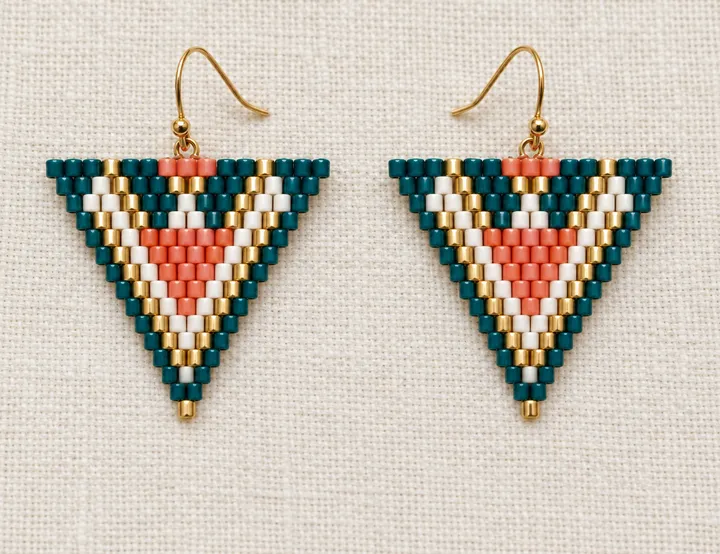
What to know when designing a brick stitch pattern
It starts with ladder stitch
The first row is a ladder stitch row of beads sewn side by side. The next rows are anchored to its thread bridges.
Rows decrease on their own
Each row is one bead shorter than the last, so triangle earrings form naturally. To keep the width, add a bead at the start or end of the row.
Shape it by removing beads
In BeadDot the “Remove bead” tool clears edge beads to draw triangles, hearts or leaves, and removed beads stay out of the materials count. See the stitch comparison guide for ideas.
Straight band or triangle?
Brick stitch makes both straight bands and shapes that narrow. The converter turns a picture into a rectangular pattern; in the editor you remove edge beads to make it a triangle earring or any shape you like.
What BeadDot does for brick stitch
- Turns a picture into a brick stitch pattern in your browser
- An earring-sized blank to start from
- Shaped patterns by removing beads
- Follow mode shows the next bead
- Bead count and grams per color
- Miyuki Delica and TOHO Treasure color codes
From picture to brick stitch pattern in three steps
Choose your image
A logo, icon or simple drawing; small earrings read best with little detail.
Set the width and colors
Go narrow for earrings and wider for pendants or badges; fewer colors make a cleaner pattern.
Shape it and stitch with follow mode
Remove edge beads in the editor to shape it, get the materials list and stitch row by row with follow mode.
Brick stitch questions
Is the photo to brick stitch converter free?
Yes. The converter, the pattern editor and follow mode are free, there are no ads and you don’t need an account to start.
Is my image uploaded to a server?
No. The conversion runs entirely in your browser. Only when you choose “Edit and start weaving” is the resulting pattern saved to your account; the image itself is never stored.
What is the difference between brick stitch and peyote?
Both offset their beads and look alike when finished. In peyote each bead passes between two beads of the previous row; in brick stitch beads are anchored to the thread bridges of the row below. Changing a row’s width is easier in brick stitch, which is why it is often chosen for shaped earrings.
Can I make fringe earrings?
There is no separate fringe tool in BeadDot yet. Design the brick stitch body of the earring in BeadDot and add the fringe as you stitch.
Which beads does it work with?
The Miyuki Delica 11/0 and TOHO Treasure 11/0 color charts. Every bead is matched to the closest real color in the chart.
Pick a picture and your brick stitch pattern is ready
Nothing to install, no account needed. Keep the pattern in your account and stitch whenever you like.